> ## Documentation Index
> Fetch the complete documentation index at: https://docs.revoengine.com/llms.txt
> Use this file to discover all available pages before exploring further.
# Search
> Here you can read about our powerful **Search Engine** and concept behind `name`, `category`, `description` and other properties, understanding the core of these properties will improve your productivity.
Our search engine works on the way to find the most accurate data for your request,
we have standardized property name convention and strategy in our application to help you out with managing your data.
* `Name` - used as a label for any data that you keep as a quick look (e.g. *Component* selection), limited to 100 characters.
* `Description` - used to add any useful details about given data.
* `Category` - categorizes everything into single category (tag) that you can search by and get all possible data for given category.
There are also some additional parameters that you can look by like `Event Type`,
`Endpoint Method and Path` and more than that, with that in mind you can structure your data for your specific needs.
`Category` is clickable in search results to find all related resources.
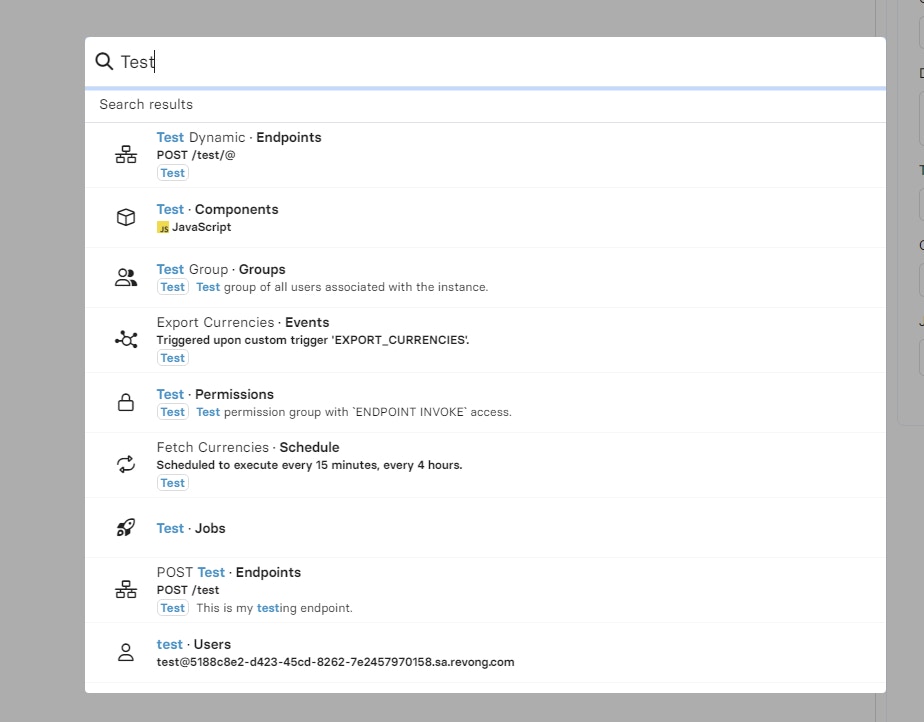
Here is an example of search results typing `Test` when you have `Test` category set in various resources: