

1. Create the Library
In Studio → Components, create a TypeScript Library namedPricing, with category commerce. The category organizes navigation; callers use the name Pricing.
The platform creates a native, permanent element with the key @default. The tree displays a code icon and the lowercase italic label default. Its initial source is a documentation comment with no exports. Edit its source to define your API. You cannot rename, delete or replace that element; adding an ordinary element called DEFAULT creates a separate namespace.
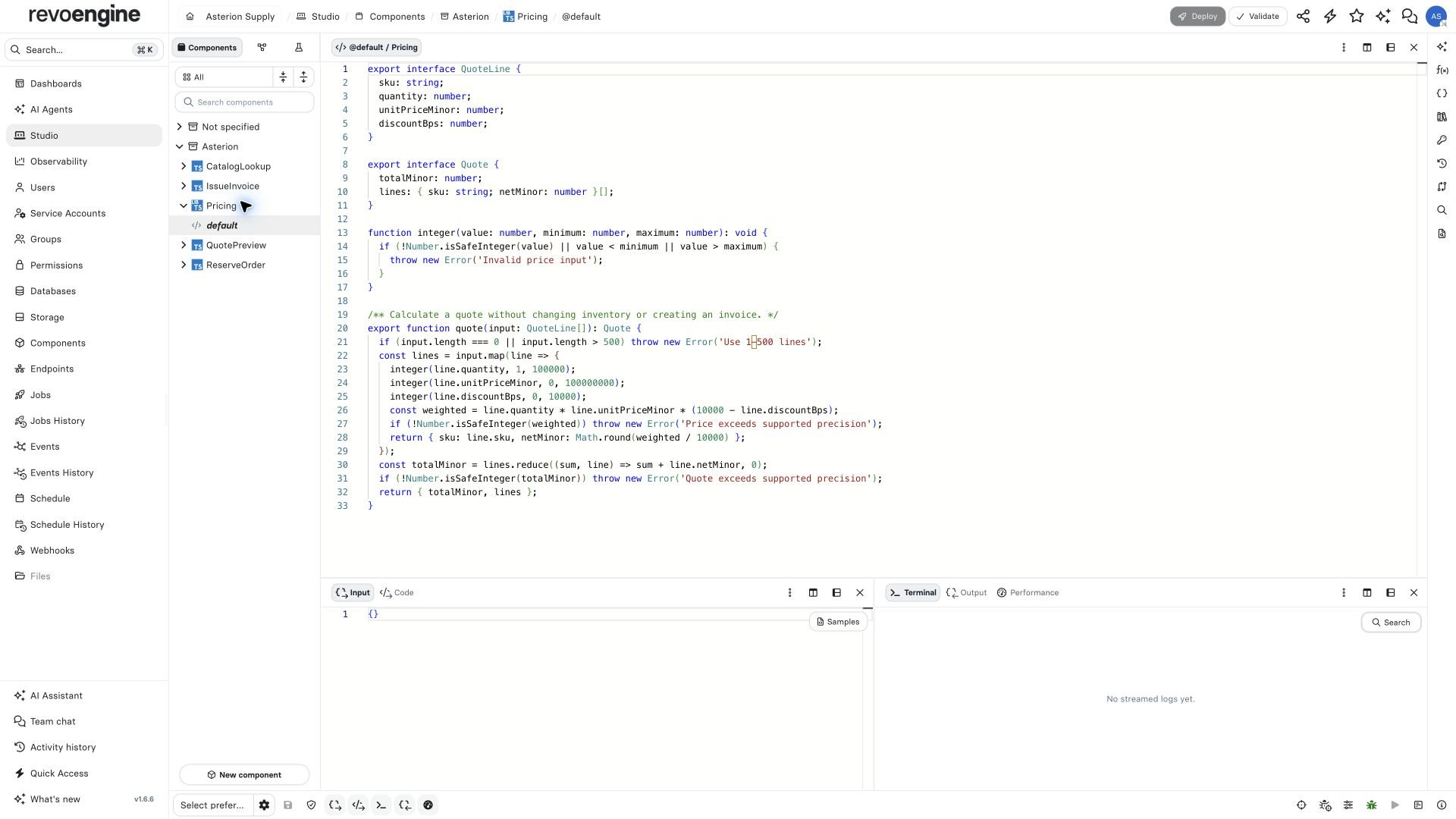
The real Pricing Library in the synthetic Asterion instance: the permanent default element opens as @default.
@default is a platform element identity. It does not enable the JavaScript syntax export default.
2. Define the price contract
Replace the default’s comment with this source. Money uses integer minor units; discounts use basis points (750 means 7.5%). The policy here rounds each line after discount, then sums the lines. State your own accounting policy explicitly before using this in a real invoice system.
Pricing · @default
integer helper stays local. JSDoc describes the exported function for callers; annotations such as @public or @private do not change visibility. Actual named export statements define the API.
3. Inspect completion in Monaco
Save and activate the Library through your normal deployment review. Open a consuming TypeScript Component in the same instance. Type each expression below and invoke completion with Ctrl+Space if it does not open automatically.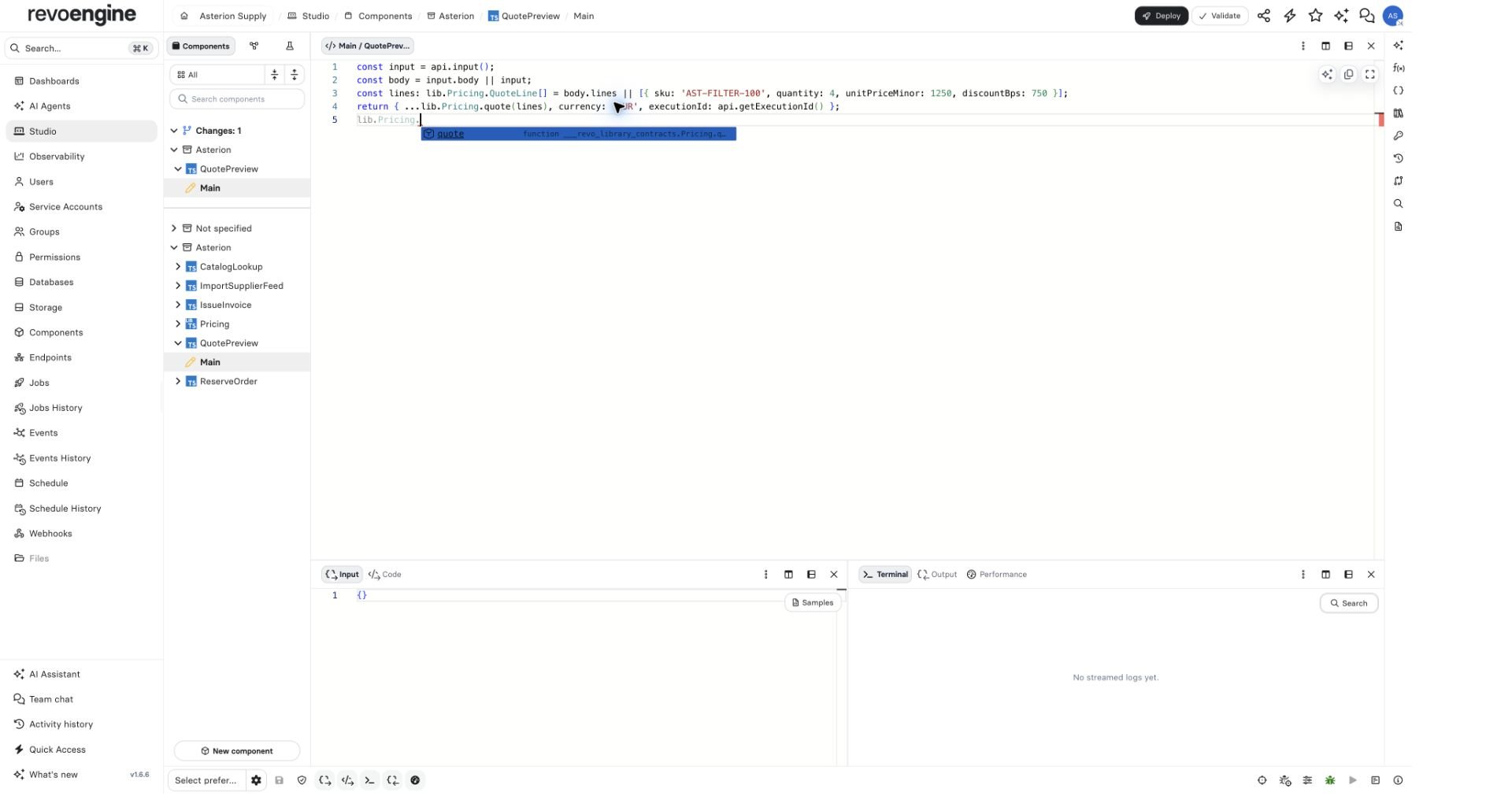
Completion in a consuming TypeScript Component exposes quote; the unexported integer helper remains private.
Order preview · Main
lib.Pricing.QuoteLine, rather than attempting to use @default as a TypeScript namespace identifier. Types have no JavaScript runtime value.
4. Add a named capability
Add an ordinary element namedAvailability:
Pricing · Availability
lib.Pricing.Availability.canFulfil(12, 4). The default does not automatically forward its members. Avoid naming a default export Availability: default export names, including type names, cannot collide with element keys.