

Explore the behavior
Configure the template
Set this object under the Job template’soptions.concurrency:
Configuration reference
The key is a configured string. It is not an expression evaluated against each Event payload. Giving all account imports the literal key
accountId puts them in one bucket; it does not create one bucket per account.
Choose the key deliberately
Use the same key and limit on templates that must share capacity. Different keys create independent buckets. A key such aswarehouse_sync communicates the protected system; a key named only after a template can accidentally let several templates overload that same system.
See key design for the difference between capacity and duplicate protection.
Waiting, retry and recovery
Waiting for capacity is separate from a Job’s retry policy after terminalERROR. Ordinary Job leases are managed while execution is active; raising legacy ttl does not extend an abandoned execution’s permit. Operator force-run or configured automatic-retry bypass can intentionally skip template concurrency, so review those policies before treating the configured limit as unconditional.
This limit controls Job admission, not requests per second and not UI refresh ordering. For a bounded section of low-code, use explicit concurrency admission. See Job history to inspect the wait reason and execution outcome.
Example: serialize invoice work
The synthetic invoice pipeline usesasterion_invoice_pipeline and limit 1. All Jobs using this same key share that slot: the key does not isolate each order. The pictured UI also shows a legacy TTL preference of 180 seconds. Ordinary Jobs use the managed renewable lease described above; that field does not set their active lease duration. The separate execution timeout is 120 seconds.
The retry policy allows 3 total attempts, starts with a 5-second minimum backoff and caps it at 60 seconds. Skip concurrency is off, so a retry still competes for the template’s slot. These sample values are configuration choices, not universal defaults or a timing guarantee.
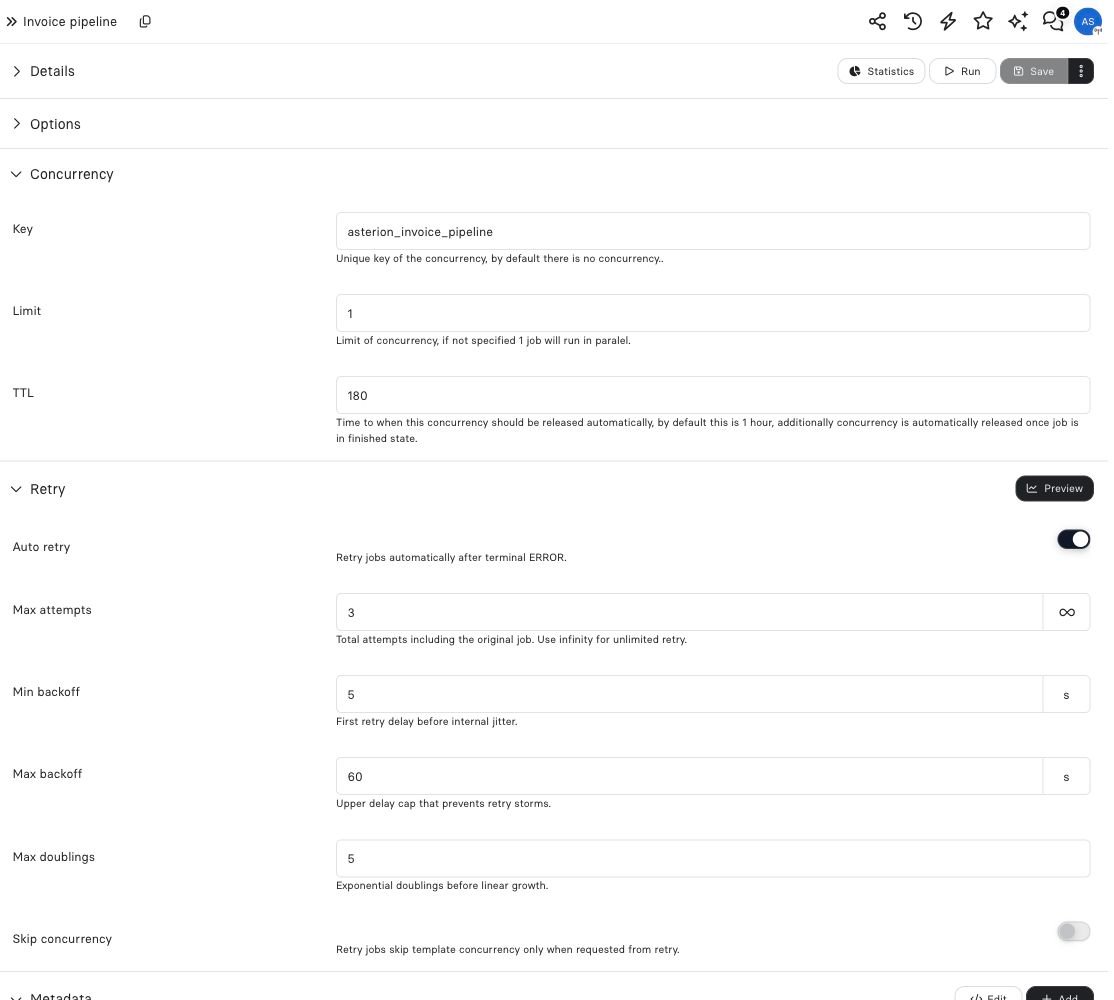
Concurrency controls overlap; retry controls later attempts after failure. Neither guarantees one business effect.