

Validate an integration from a workspace
In the Asterion sample, a developer checks a quote before changing the portal. The approved workspace contains the application, and Local Access permits its local HTTP service on a compatible runner. The task asks for two quote requests and fixed assertions, without placing an order.
The command exited 0 after both assertions passed. Each response had its own Execution ID. This confirms the quote contract for those inputs; it does not confirm an order, invoice, or webhook delivery.
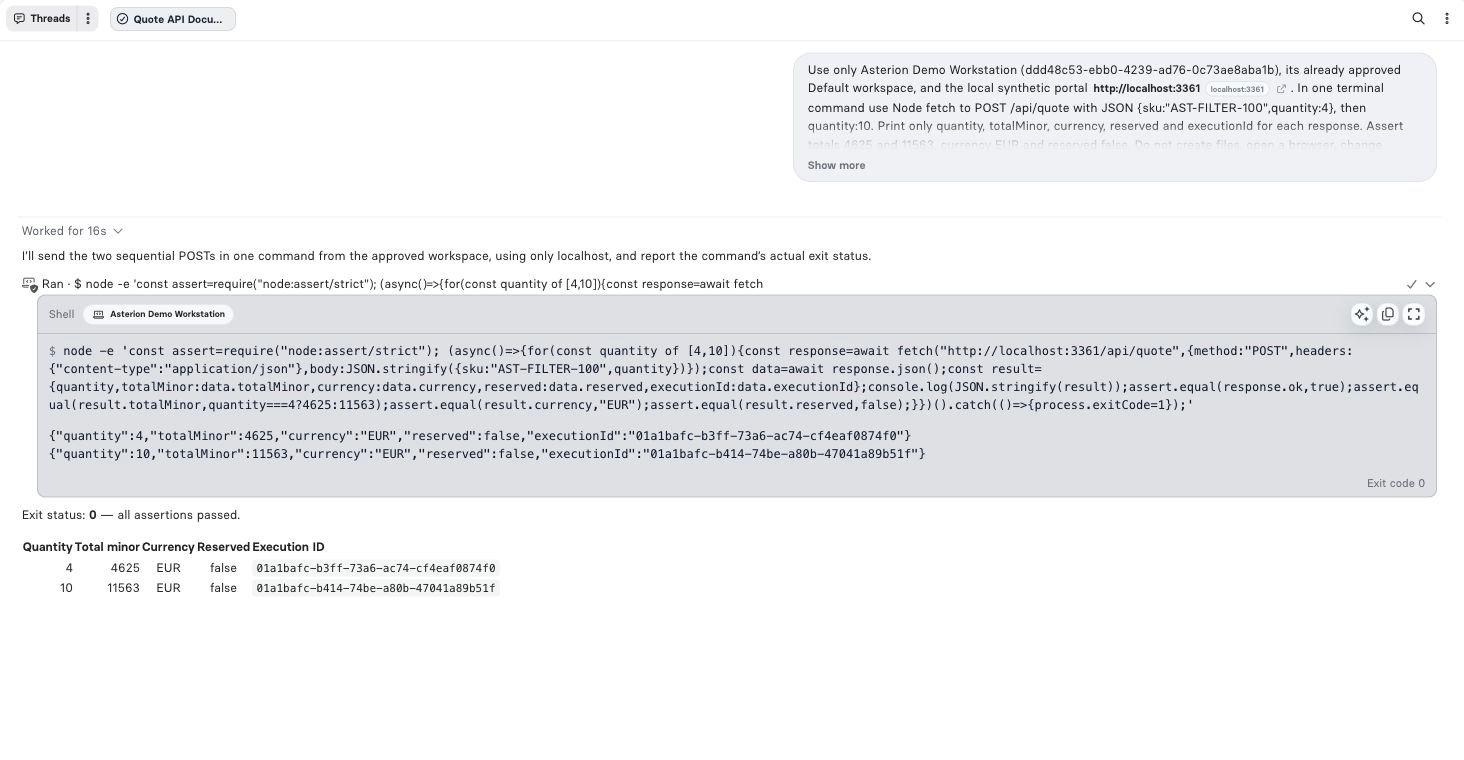
Actual terminal command, captured output and exit code from the synthetic quote service.
Read the activity
Expand the work summary and the terminal action in the conversation. Inspect the selected terminal/workspace, command, captured output and completion state. A long-running command can remain active while the Assistant continues with other steps. Use its existing execution to inspect progress, send input where supported, or cancel it.
If a connection disappears after a write, recover the existing command status and inspect the destination before executing it again. A repeated shell command can repeat external effects.
Other useful workflows
Avoid printing environment dumps, credentials, cookies or signed URLs. Commands can print sensitive content even when the command itself looks harmless.
Distinguish three log surfaces
The CLI operational log lives under the CLI configuration directory at
logs/terminal/<deviceId>/debug.log. It records selected metadata such as exit code, timeout, truncation and browser action; it does not copy raw shell commands, stdout or stderr into that file. The conversation’s captured output is a separate surface. Background service process logs are separate again.
Operational logs rotate daily, compress old files and retain archives for 30 days. Files are owner-readable/writable and directories are owner-only. Log rotation is not a substitute for keeping secrets out of command output.