

Find the right tab
Use account security for MFA, devices and keys, Vault for credential grants, terminals for workspace access and browser profiles for saved website logins.
Account details and metadata
Details contains name, surname, phone and avatar controls. Name and surname are required; phone is validated when supplied. Changing a display name does not change your identity or permissions. Metadata holds a JSON object for application-specific profile data. Advanced is a separate governed data field. Editing either requires its own permission. Neither field grants roles or changes Group membership. Use Groups, Roles and Raw JSON to inspect the current account; treat a raw account export as private administrative data.Appearance and accessibility
Choose Dark, Light or System appearance. Compact view reduces spacing in supported lists and detail views. These choices change presentation, not resource visibility or execution behavior. The Unsaved changes option is worded “Do not ask for confirmation before leaving changed forms.” Enabling it suppresses the warning. It does not save the form automatically. Save an edit before navigating away when you need to preserve it.Studio preferences
These settings apply to code editors and comparisons across the application.
Changing a display preference does not deploy a Component. Use Studio for editing, debugging, layouts and review.
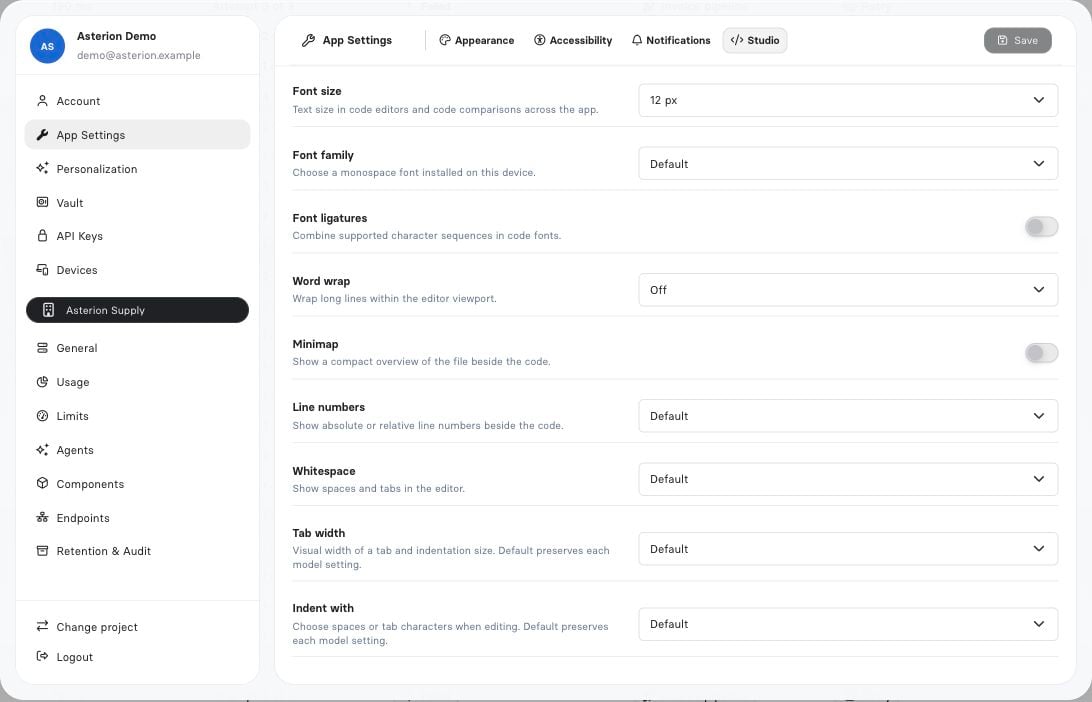
Personal editor preferences change how source is displayed and edited; they do not activate runtime.