

These features require Platform 1.7.0 on the target instance. Publishing this documentation or updating the CLI does not upgrade the application.
See the actual result
The example prompt asks the model to calculate37 × 19 with calc. The application
shows the generated answer, the selected Component return and transport completion.
The run below used one tool execution and two model requests and returned 703.
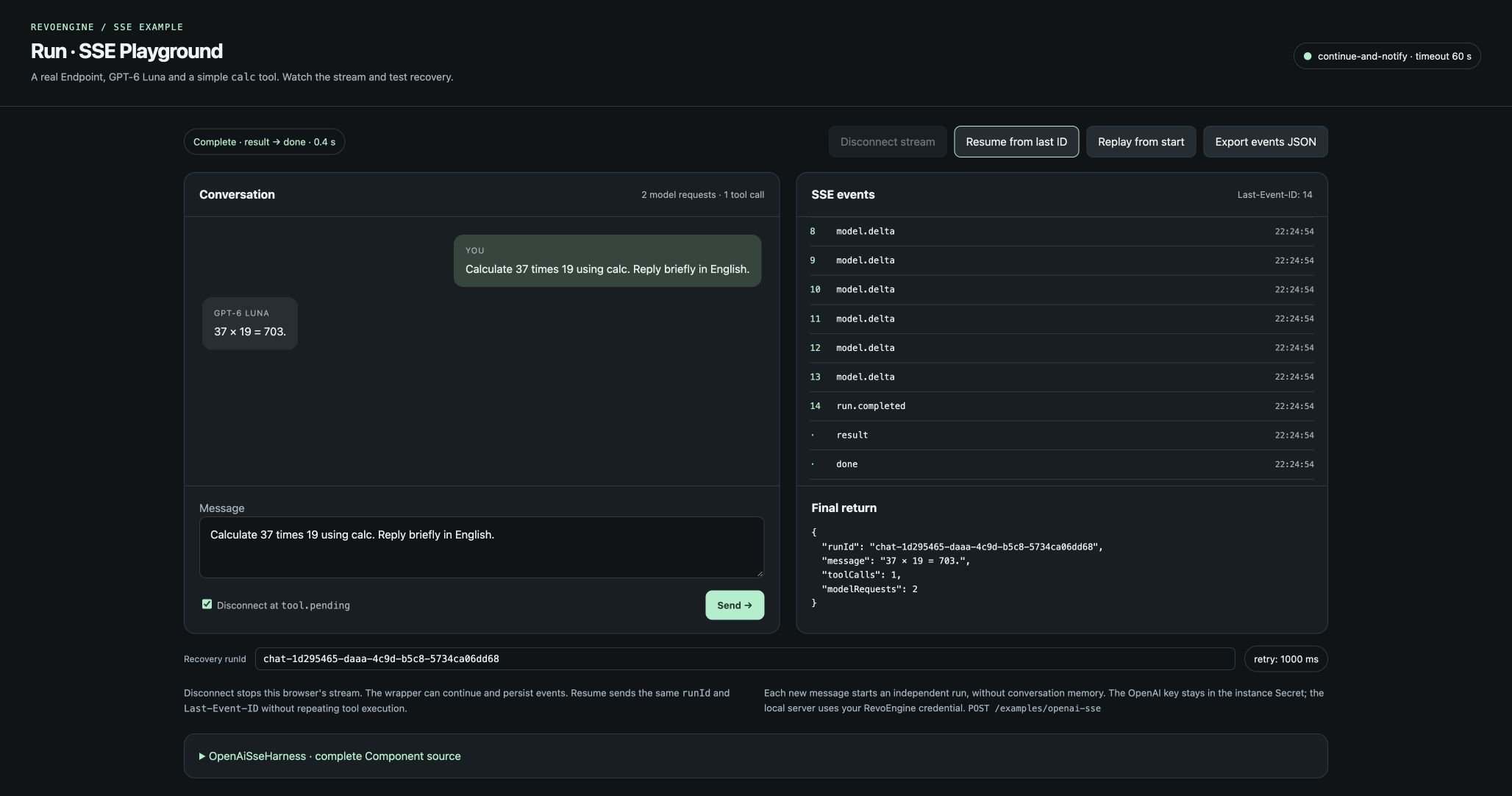
The HTML client calling the real SSE Endpoint: model text, persisted event IDs, final result and done are visible separately.
Download and start
- Complete the Component, Secret, Databases and Endpoint setup.
- Download the complete browser example and extract it into an empty folder.
- Supply your own RevoEngine credential and actual Endpoint runtime URL in the environment.
- Run
node server.mjs, then openhttp://localhost:4318in a browser.
REVO_API_KEY above is your own shell variable. Follow
Authentication to obtain the appropriate credential.
Set REVO_INSTANCE only when your environment requires an instance-routing header.
Set DEMO_PORT to change the local client port. An optional --open flag opens
Chrome on macOS. The local proxy deadline is 70 seconds for the sample’s 60-second
Endpoint execution budget; align both if you change the Endpoint timeout.
The archive contains the full files shown below plus component.txt, which is the
exact Component body from the backend tutorial.
It contains no credentials or environment file.
Individual source downloads use plain text; save them under the file names in the
first column. The archive already uses the correct executable file names.
Reproduce disconnect and recovery
- Check Disconnect at tool.pending and send the calculation prompt.
- The client aborts its fetch after receiving the actual
tool.pendingevent. Record its displayed last event ID; this sample run stopped at ID2. - The local proxy also closes that request’s upstream connection. The Endpoint’s
continue-and-notifypolicy lets the producer continue and persist its callback. - Click Resume from last ID. The client sends the same run ID and
Last-Event-ID, then consumes only later application events. - Inspect
run.disconnected, the tool output, the final answer andresult → done.
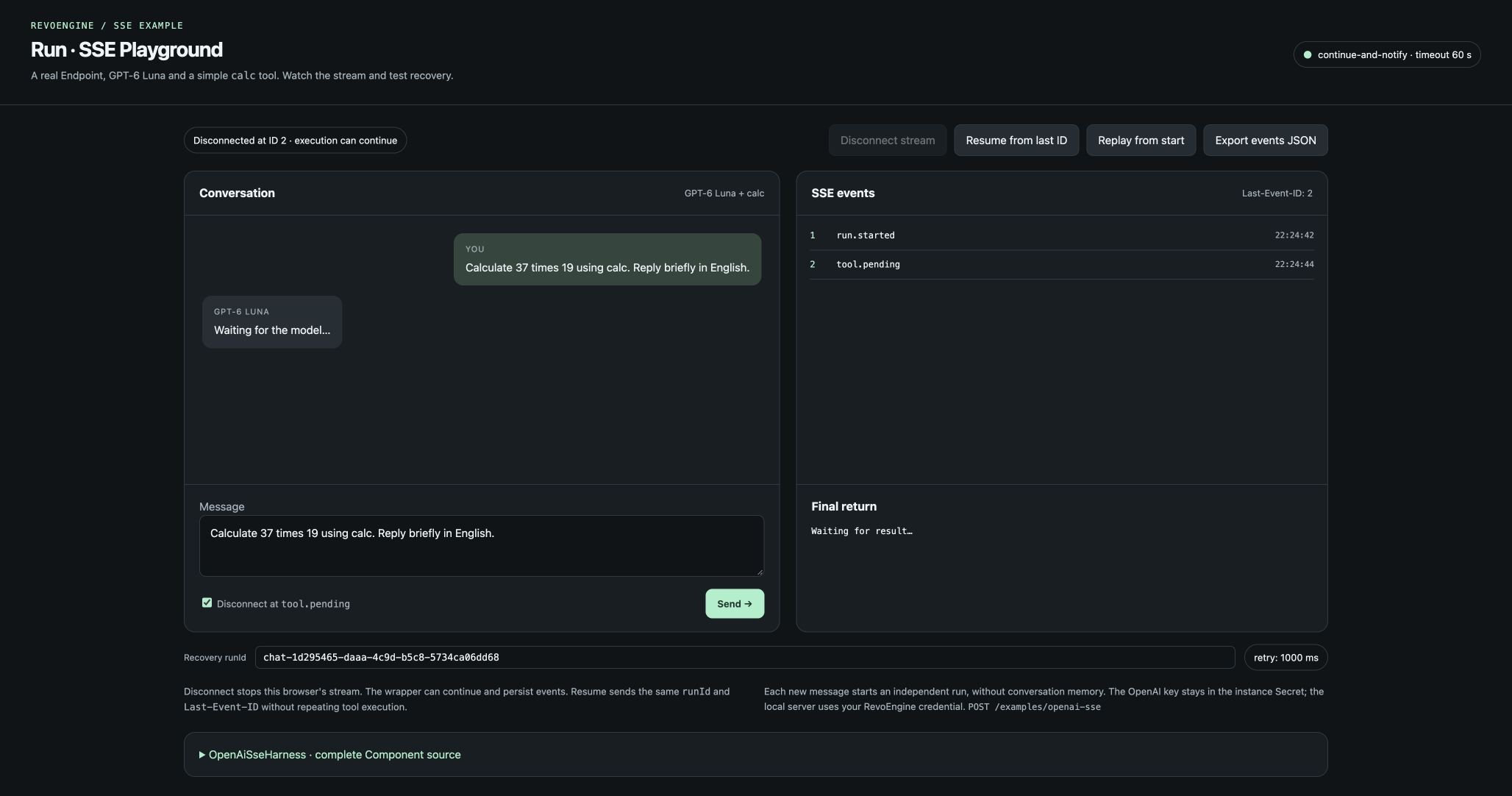
The first client stopped after tool.pending at ID 2. The UI has not received a final answer; the Endpoint is allowed to continue within its original timeout.
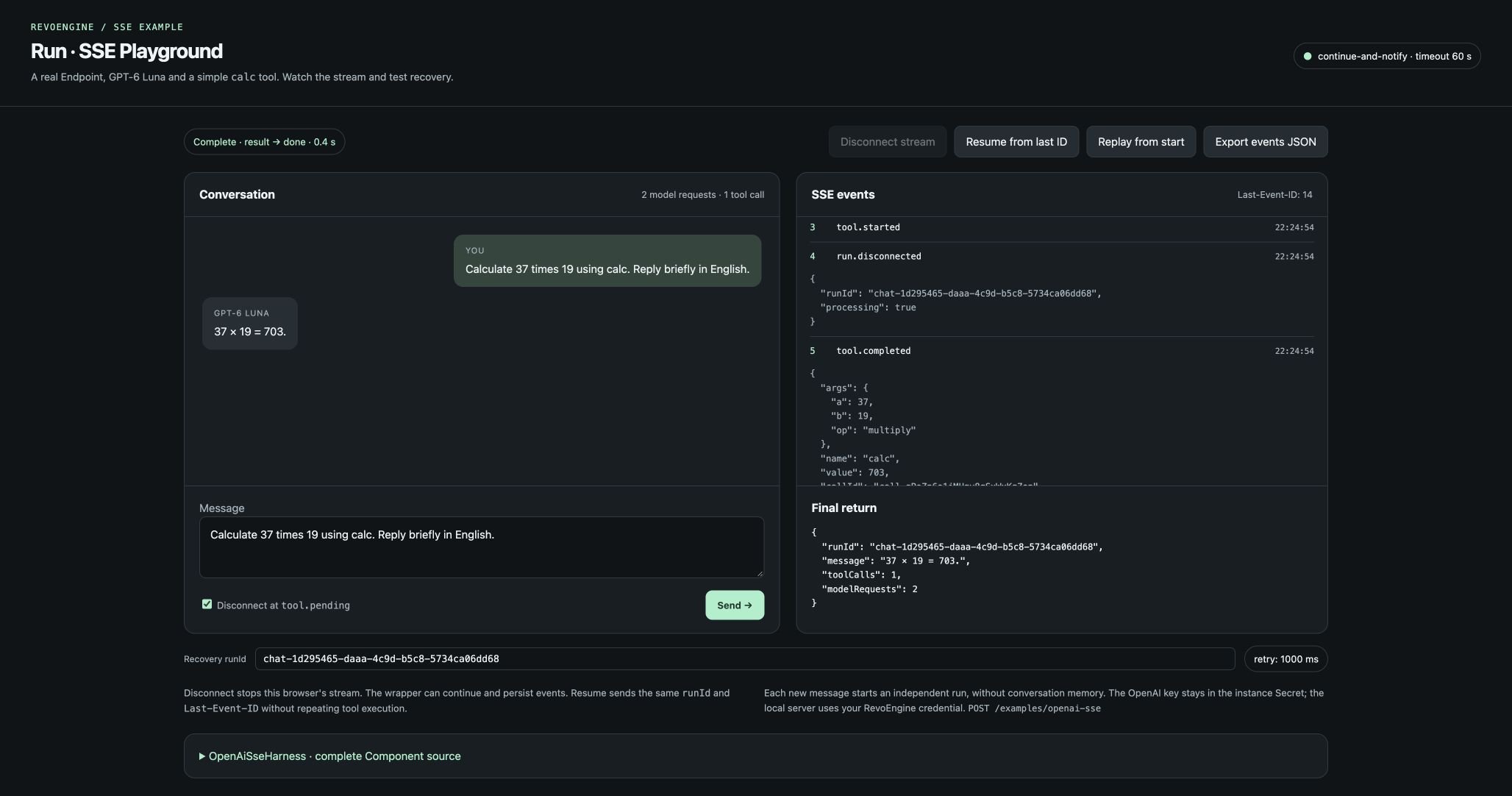
Recovery from the saved cursor includes run.disconnected and the persisted calc result. The original run completes without starting another producer.
Complete application code
These are the complete files from the archive and running application. There are no omitted event handlers, parser helpers or proxy functions. The Component’s full journal, tool registry and callbacks are separately available in the complete backend source.Client lifecycle and deployment boundary
The client decodes UTF-8 incrementally and parses SSE lines independently from network chunks, including CRLF boundaries and multilinedata. It distinguishes
ordinary HTTP rejection, an SSE error and a connection ending without done.
A clean EOF alone is not treated as success. Event payloads are rendered as text.
The server preserves backpressure and propagates browser abort to the upstream
request; it does not buffer a complete response before forwarding it.
retry is displayed as a reconnection hint. Reconnect is an explicit button action
in this example, not an automatic retry loop. The client deduplicates authored
numeric sequence IDs when observing this particular journal. A general SSE client
must also support applications using other string IDs.
The local proxy intentionally uses one developer’s RevoEngine credential and binds
to localhost. For a deployed multi-user application, integrate your own sign-in,
resolve caller authorization per request and preserve run ownership. Do not expose
one shared developer credential as an application-wide production identity.
This application demonstrates the Endpoint contract; it does not add durable worker
execution, exactly-once business effects or automatic server replay. Those boundaries
remain in the Component’s recovery design.