

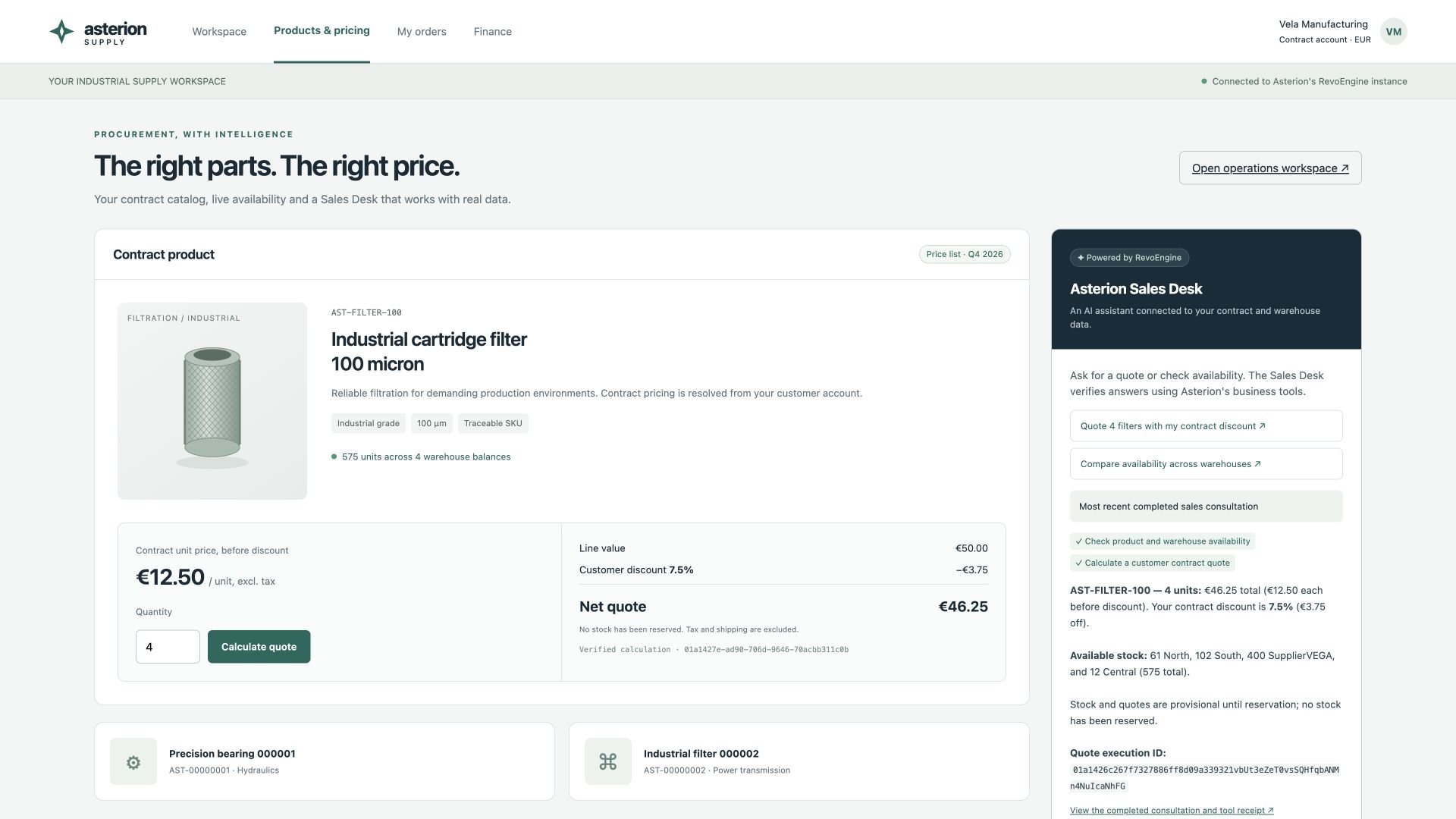
A real local portal: the product form and AI Sales Desk return the same 46.25 EUR contract quote. The product drawing is illustrative; prices, stock and tool activity come from the running synthetic instance.
Keep authority on the server
Create a dedicated portal service account and a scoped key. Store it only on the backend. Resolve the buyer from the portal’s authenticated session, authorize access to that buyer, and choose the matching business tools on the server. Never let a browser choose a platform identity, arbitrary plugin, permission level or another customer’s thread ID. The local example represents one fictional buyer and uses two read-only plugin actions. It does not implement multi-customer login, checkout or payment. Adding those requires application authentication and authorization in addition to platform permissions. See authentication and service accounts.Calculate the form quote through an Endpoint
ExposeSalesTools through a POST Endpoint such as /asterion/contract-quote. Send the SKU and quantity through your backend; the Component resolves contract pricing. For the seeded buyer, this input:
unitPriceMinor or discountBps as buyer-controlled authority. A quote is provisional; reserving inventory is a separate transaction with its own authorization and idempotency key. Endpoint runtime explains request input and response handling.
Start a scoped Assistant stream
The following server-side function forwards an already authenticated portal request to RevoEngine. Its caller must authenticate and authorize the buyer, enforce request-size and rate limits, and restrict CORS/CSRF according to the portal’s session model. The key and attached plugin below are configured for the single demo buyer; substitute a buyer-scoped design before serving multiple customers. SetREVO_API_URL to the API origin, REVO_INSTANCE to the instance ID, REVO_PORTAL_KEY to the service-account key, and REVO_SALES_PLUGIN_ID to the reviewed plugin ID. Keep these values out of frontend builds and logs.
Portal backend · Node.js
Render events as they arrive
SSE is a sequence of events, not one JSON response. A chunk can contain half an event, several events or part of a UTF-8 character. Use a streaming decoder and retain incomplete frames. This client calls a same-origin backend route that invokes the function above:Portal browser · SSE consumer
Render text with
textContent or a reviewed Markdown renderer. Do not insert raw model output as HTML. If the stream pauses for a decision, use the supported approval/clarification flow or explain the pending state; do not auto-approve a write to make the portal look successful.